
Interactive software demo
Try IS1100 Innolytix® in your browser
Preview the real-time measurement screen — no installation, no time limit.
This interactive preview gives you an idea of how the IS1100 Innolytix® canmaking QA software looks on the line. Log in with the pre-filled demo account, select a gauge and watch simulated coating thickness and enamel rating data stream into the real-time Data screen, with its heat maps, trend charts and statistics. The preview is a mock-up, not the actual software, and it is limited to the real-time measurement screen; the other screens are shown but locked. To see the full software, book a demo with an Innosen representative.
What can you try in the preview?
- Real-time measurement: live charts, heat maps and x̄, σ, MIN and MAX statistics for grid gauges such as the CoatPro™ IS860, and single-reading traces for enamel raters such as the EnamelPro™ IS810.
- Different graphs: switch from Real Time to Historical and view the results as line, bell-curve or box-and-whisker charts, and change the period, channel and line.
- Custom tags: open the custom tags and see how batch, shift and operator information is attached to the readings.
- Locked in this preview: device settings, presets and quality-control limits, the event log, CSV export, users, factory lines and licensing are shown with a padlock. Book a demo with an Innosen representative to see them.
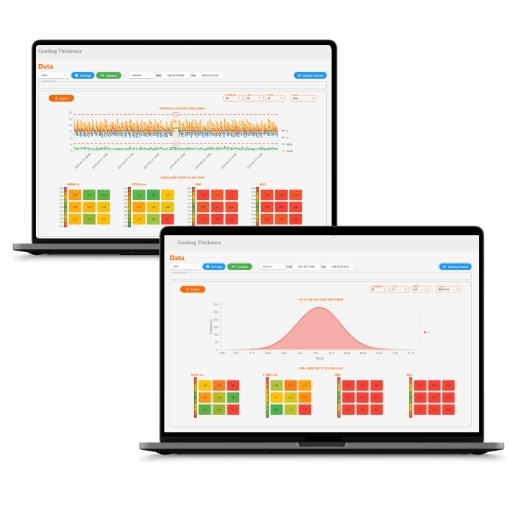
Open the interactive demo
Tell us who you are and, after your request is accepted, the interactive demo opens in this tab. Access is free and does not expire on this browser.
- Fill in the short form.
- Click Open the demo — the standalone interactive demo opens with the login details already filled in.
- Pick a gauge from the menu and explore the real-time Data screen. To see the other screens with real gauges connected, book a live demo with our team.
Get instant access
IS1100 Interactive Demo Access
The demo is made for a laptop or desktop screen. On a phone or tablet, tap Full screen and turn your device sideways.
Live demo
See Innolytix® with real gauges connected
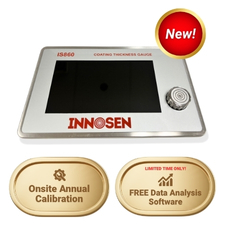
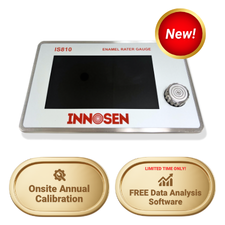
The interactive demo runs on simulated data. In a live demo, our applications team connects a CoatPro™ IS860 coating thickness gauge, an EnamelPro™ IS810 enamel rating gauge and the other adapters to IS1100 Innolytix®, so you can watch real readings arrive in the dashboards and talk through how it would fit your lines.
- Real readings from CoatPro™ and EnamelPro™ gauges, live on screen
- How the gauges and adapters connect over RS232 and RS485
- Your questions on lines, users, licensing and set-up
Questions about the demo
Is this the real Innolytix® software?
No. It is an interactive design mockup of the IS1100 Innolytix® software. Navigation, instruments and readings are simulated, the values shown are illustrative and do not represent actual measurement data, and screens may differ from the released interface. This online preview is limited to the real-time Data screen (live readings, graphs and custom tags); the other screens are locked. To see the full software, book a demo with an Innosen representative.
What login details do I use?
The demo account is already filled in on the login screen (username msantos) — just press Login. Any username and password work in the mockup.
Do I need to install anything?
No. You do not need to install anything to try the demo — it runs entirely in your web browser. It is designed for a laptop or desktop screen; on a phone or tablet, use Full screen and turn the device sideways.
How long can I use the demo?
There is no time limit. Once you have filled in the form, this browser remembers your access, so you can come back to this page and keep exploring.
Can I see Innolytix® working with real gauges?
Yes. Book a live demo and our team will run Innolytix® with CoatPro™ and EnamelPro™ gauges and adapters connected, and answer your questions about your own lines.